 Screenshot Maker
Brooks Marquez · Tutorials · 8 min read · 2026-10-19
Dummy Data for Dashboards: Sample Numbers That Add Up
Dummy data for a dashboard is a set of sample numbers you put in a product screenshot so the UI is readable before you have real customers, or so a landing page can show the layout without publishing a customer's account. The numbers are invented. They still have to obey arithmetic. Random totals are the fastest way to make a careful buyer stop trusting the rest of the page.
The app revenue dashboard is the screen. This article is the spreadsheet behind the screen: the rules that keep a sample from looking like a broken product.
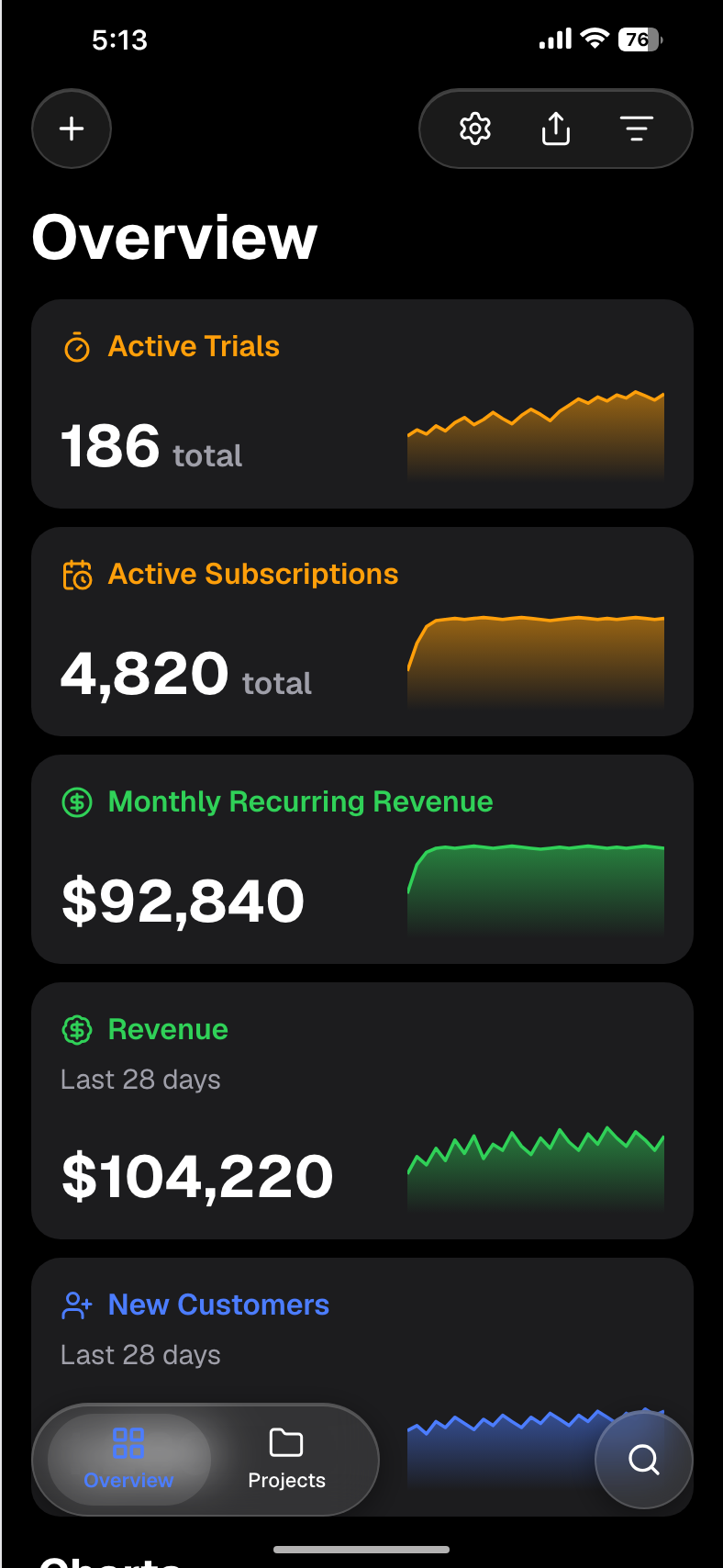
Why random numbers look wrong
People do not audit your screenshot with a calculator on purpose. They notice the fights anyway.
A headline MRR of $48,000 next to 120 customers implies $400 average revenue per account. If the plan cards on the same screen say every seat is $29, the screenshot is arguing with itself. A funnel that goes 1,000 visits, then 1,200 signups, grew a step that should shrink. A chart titled "this month" with an x-axis that ends in March tells the reader the file is a leftover.
Those errors are more damaging than plain layout. The UI can be pixel-aligned and still read as a mock that nobody checked. Sample data is allowed to be sample. It is not allowed to be impossible.
The fix is to design the numbers in a table first, then type them into the template. The table is short. The argument you want the screenshot to make is one sentence, and every figure on the image either supports that sentence or leaves.
Consistency rules
Use these checks before you export. They are the same checks a finance lead would run on a real board pack, scaled down to a hero image.
MRR equals customers times ARPU. If you show all three, they have to agree. If you only show two, do not imply the third in a caption that contradicts them.
New, churned, and ending customers reconcile. Starting customers + new − churned = ending customers. Expansion revenue can raise MRR without raising the customer count. If you show expansion, do not also claim that ARPU was flat.
Funnels only shrink. Visits ≥ signups ≥ activated ≥ paid, unless you are showing a cumulative lifetime number next to a monthly number and you have labelled both. A rate is the step divided by the step above it, not a decoration.
Dates agree with the chart. A "last 6 months" chart has six points, the last point is the headline month, and the headline equals that point. Do not plot a sparkline that trends down next to a green "+18%" badge unless the badge is about a different metric and the label says so.
Currency and separators stay in one locale. $33,180 or 33180. Do not mix a US thousands comma on the headline with a European decimal comma on the chart.
Names are obviously sample. "Acme" and "Northwind" are fine. A real customer's logo is not, unless you have permission and the numbers are theirs.
A SaaS sample that reconciles
This set fits a seat-based product screenshot. It is small enough to read on a phone and tight enough to check.
| Metric | Value | How it was set |
|---|---|---|
| Starting customers | 393 | Chosen |
| New customers | 38 | Chosen |
| Churned customers | 11 | Chosen |
| Ending customers | 420 | 393 + 38 − 11 |
| ARPU | $79 | Chosen, one plan |
| Starting MRR | $31,047 | 393 × 79 |
| Ending MRR | $33,180 | 420 × 79 |
| Net new MRR | $2,133 | 33,180 − 31,047 |
| MRR growth | 6.9% | 2,133 / 31,047 |
There is no expansion in this set, so ARPU stays $79 on both months. If a later version of the screen needs expansion, add a line for it and raise ending MRR without pretending the seat price changed.
The matching funnel for the 38 new customers:
| Step | Count | Rate from the step above |
|---|---|---|
| Visits | 12,000 | — |
| Signups | 480 | 4.0% of visits |
| Activated | 192 | 40% of signups |
| Paid | 38 | 19.8% of activated |
Paid equals new customers. That is the link between the funnel and the MRR table. If marketing wants the paid count to be 40, change new customers to 40 and recompute ending customers and both MRR figures. Do not change only the badge.
A six-month sparkline can end on $33,180. One believable path, each step a plausible climb rather than a hockey stick: 24,200, 25,600, 27,100, 28,450, 31,047, 33,180. The fifth point is starting MRR. The sixth is ending MRR. The headline and the last point match.
Other businesses, same rules
A marketplace screenshot is not a SaaS screenshot with the labels swapped. GMV, take rate, and net revenue are three different numbers. If GMV is $200,000 and the take rate is 10%, net revenue is $20,000. Orders of 1,000 means an average order of $200. If you also show a refund row, subtract it from GMV before the take rate, or show refunds as their own line and say the take rate is on gross.
A creator earnings screen is a month of payouts, not MRR. Three products at $49, $99, and $199 with unit counts of 40, 15, and 4 produce $1,960 + $1,485 + $796 = $4,241 before fees. If the card says "paid out $4,241," the lines have to sum to that. A fee of 3% would make the payout $4,113.77. Pick one and label it "gross" or "after fees."
A usage-based product can show events instead of seats. 1.2 million events at $0.02 is $24,000. Do not also show an ARPU of $79 unless you have a second, seat-based product and the labels keep them apart.
The rule across all three: one sentence, then numbers that can be recomputed from the other numbers on the same image.

Create a screenshot to get more engagement.
Pick a template, edit the numbers, and export.
Start FreeStep by step: put the sample into a template
1. Write the sentence
Example: "A 420-customer product at $79 a seat is about $33k MRR, up 6.9% from last month." If the screenshot cannot say that sentence, cut metrics until it can.
2. Fill the table before the editor
Use the SaaS table above or rebuild it with your own starting point. Add the rows. Only then open a template. The free overview dashboard is enough for a first hero. The MRR dashboard is the better screen when the sentence is specifically about recurring revenue, and the MRR growth editor is the one to type this sample into. The dashboard library lists the other layouts if the product is a store or a content tool rather than a seat-based app.
3. Type the reconciled figures, not nearby figures
Enter 420, $79, and $33,180. Do not round the headline to $33k on the image and leave $33,180 in the caption unless both are visible and consistent. Do not paste a sparkline from another mock.
4. Label the image as sample data
Put "Sample data" in the caption under the hero, in the image alt text, and on the slide if this is a deck. Keep it off the traction slide. A traction slide is where investors expect real figures. Product UI belongs on the product slide, marked as a design or a prototype.
5. Read it back as arithmetic
Customers times price. Funnel rates. Last chart point versus headline. If any check fails, fix the table and retype. Export the PNG only after the checks pass.
Where sample data does not belong
Sample data belongs on a product preview, a documentation page, a course still, and an empty-state illustration. It does not belong next to "we did $33k MRR in October," in an ad that implies a customer's results, or in a screenshot that includes a real company name. If the number is real, say it is real and be ready to show the source. If it is sample, say that in the same viewport as the number, not in a footer three screens down.
FAQ
What is dummy data for a dashboard?
Dummy data is a stand-in set of metrics used to show dashboard UI. It should follow the same math as real metrics: totals equal the parts, rates equal the division they claim, and dates match the chart.
How do I stop sample MRR from looking inconsistent?
Create a screenshot to get more engagement.
Pick a template, edit the numbers, and export.
Start FreePick customers and a price first. Multiply them to get MRR. Derive the previous month the same way. Then type those figures. Do not start from a headline you like and backfill the other fields with guesses.
Can I use dummy data on a landing page?
Yes for the product screenshot, with a visible sample label. No for testimonials, customer results, or a traction claim. Those need real, permitted numbers.
What should a funnel do?
Each step should be smaller than or equal to the step above it, and the last step should match the "new customers" count if both are on the screen. Publish the rate as step divided by the previous step.
Export after the table agrees
Build the small table, type it into the overview or MRR template, and label the PNG as sample data. The screenshot is there to show the product. The arithmetic is there so a careful reader does not catch you failing a multiplication you printed yourself.