 Screenshot Maker
Brooks Marquez · Tutorials · 6 min read · 2026-07-29 · Updated 2026-10-10
How to Create a Phantom Wallet Screenshot
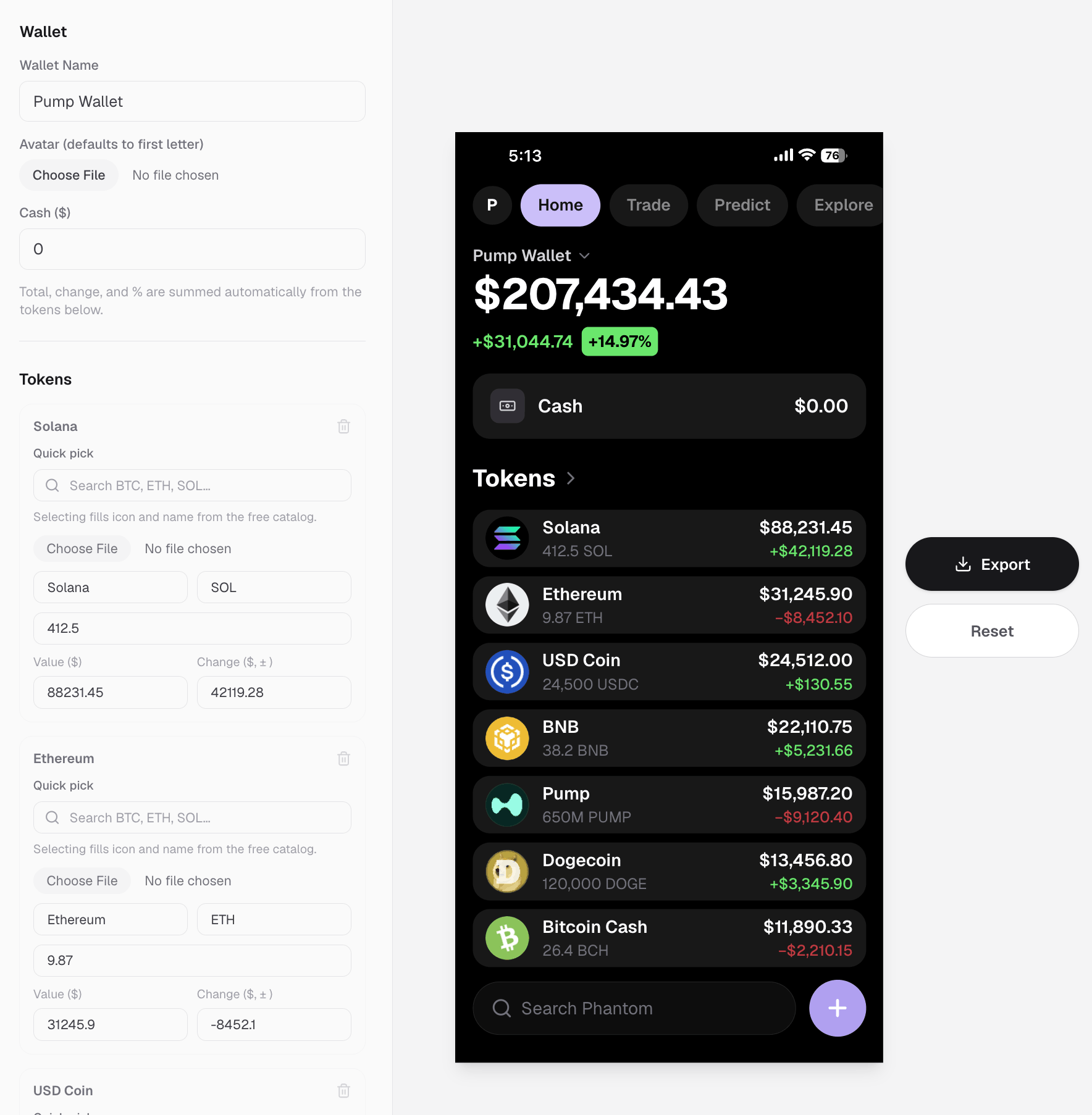
You need a Phantom wallet screenshot for a landing page, a launch thread, or a product demo, and you do not want to open the real app, connect a wallet, or risk leaking an address. This page is the Phantom-style walkthrough. For a generic BTC, ETH, and USDT balance frame, use the crypto wallet balance screenshot maker. That is a normal problem in crypto marketing. The fix is not Photoshop from scratch. It is a template that already looks like a Solana wallet UI, then a few careful edits.
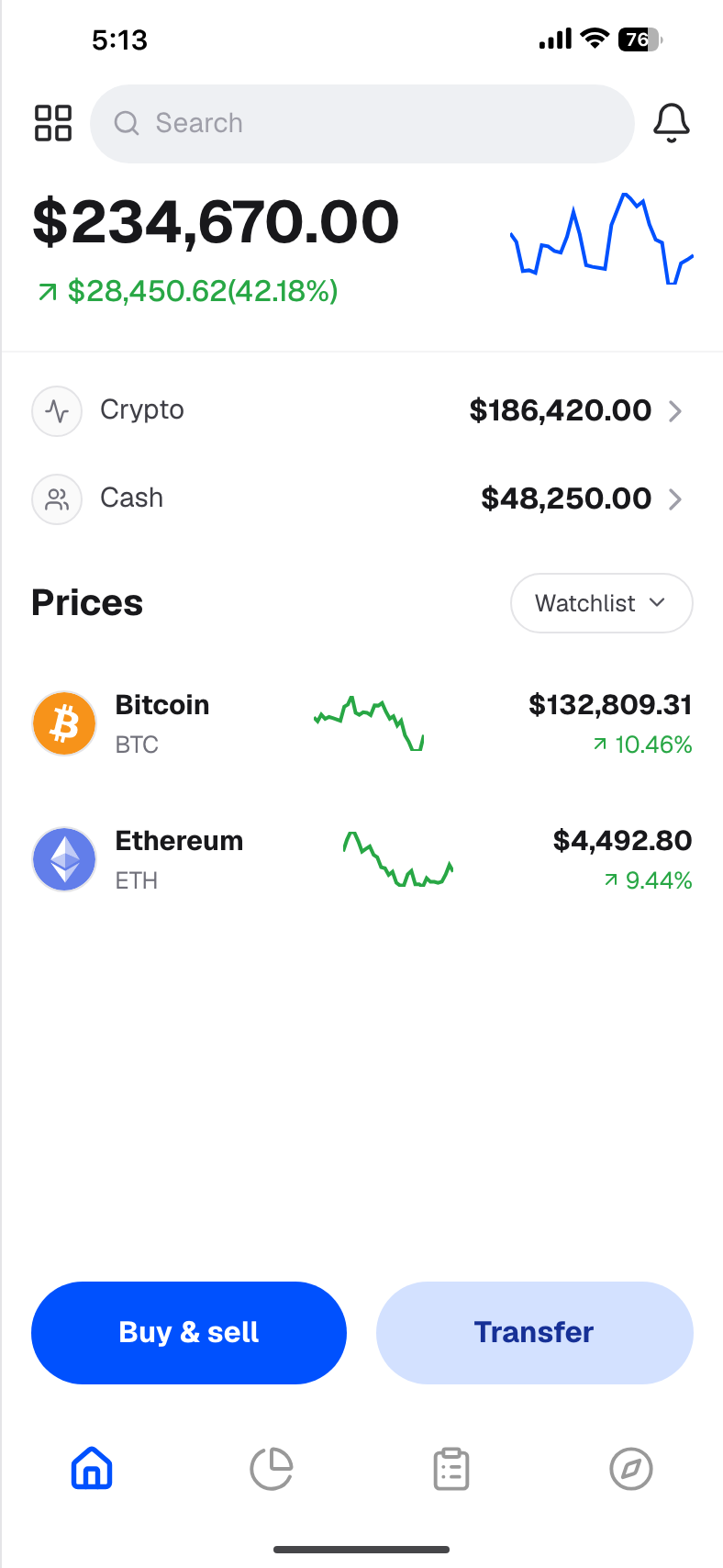
This guide walks through how to make a Phantom wallet screenshot that reads as native, when a bitcoin wallet screenshot or broader crypto wallet screenshot is the better fit, and how to avoid the tells that crypto audiences spot in seconds.
Why people need a Phantom wallet screenshot
Phantom is the visual shorthand for "this is a Solana wallet." Founders use that look for pre-launch pages. Creators use it for portfolio stories. Marketers use it when the real product is not ready to connect on a sales call.
Common reasons to generate one instead of capturing a live wallet:
- The product is not live yet, but the homepage needs a wallet frame.
- You want a specific balance story without exposing a real seed, address, or transaction history.
- You need the same layout in light and dark variants, or with your own token in the bag.
- Legal or compliance prefers synthetic balances for ads and docs.
A good Phantom wallet screenshot is not about faking a stranger's money. It is about controlling the visual so the story stays clear and private.
What a believable Phantom-style screen includes
Before you open a generator, know what viewers check first:
- Portfolio total and change — dollar value plus percent, with a chart that matches the direction
- Token rows — name, symbol, price, and a mini spark that agrees with the day move
- Icons — recognizable marks for SOL, USDC, and majors; custom mark for your ticker
- Cash vs crypto split — many wallets show both; an all-crypto bag can still work if that is the point
- Density — one lonely token looks like a prop; three to six rows usually feels lived-in
If those pieces disagree (green P&L with a red curve, BTC priced like a meme coin), the frame dies even if the chrome looks right.
Step by step: create a Phantom wallet screenshot
1. Start from a wallet template, not a blank canvas
Open screenshotmaker.app and use the Crypto Wallet templates built for portfolio and holdings screens. The crypto wallet screenshot generator use case walks the chart-plus-list layout; the holdings maker is better when you need a longer token bag.
You are editing a realistic Solana-style wallet UI, not drawing rectangles. That is why the result reads closer to a real Phantom wallet screenshot than a Canva collage.
2. Set the portfolio story first
Decide the one sentence the image must say. Examples:
- "Early bag with SOL and our token"
- "Green day after a feature launch"
- "Mostly stables, low drama"
Then set the top-line balance and percent. Keep majors near market reality if they appear. Wild SOL or ETH prices are the fastest way to lose trust.

Create a screenshot to get more engagement.
Pick a template, edit the numbers, and export.
Start Free3. Fill the token list like a real bag
Add the coins people expect to see in a Phantom-style list:
- SOL as the home-chain anchor
- A stable (USDC or USDT) if the story needs ballast
- Your project token if this is a launch visual
- Optional majors if the wallet should feel cross-asset
Need a bitcoin wallet screenshot vibe inside the same frame? Put BTC in the list with a sane price and matching spark. The chrome can still feel Phantom-like while the bag shows Bitcoin. For a pure BTC-first story, a dedicated bitcoin wallet screenshot layout may be cleaner than forcing BTC into a Solana-first UI.
4. Match charts to the numbers
Every spark and the main portfolio curve should agree with the change percent. A +12% day with a downward scribble is an instant fake tell. Same for red days with optimistic green curves.
5. Export for the channel you actually use
Export a full-resolution PNG. Crop or frame later for Twitter, App Store, or a landing hero. Keep text large enough to read on mobile; wallet screenshots often fail when the total is crisp but token names turn to mush at phone width.
Phantom vs other crypto wallet screenshots
Not every brief wants Phantom chrome.
| Goal | Better visual |
|---|---|
| Solana wallet / Phantom look | Phantom-style portfolio or holdings screenshot |
| Bitcoin-first story | Bitcoin wallet screenshot with BTC dominant |
| Exchange depth | Crypto holdings list that feels exchange-native |
| Futures / margin story | Futures account or open positions screenshot |
| Generic "we have a wallet" | Simple crypto wallet screenshot with clear P&L |
Use the Phantom wallet screenshot when Solana recognition matters. Switch to a bitcoin wallet screenshot or futures frame when the product story is elsewhere. Mixing signals (Phantom chrome + Binance futures jargon in the same crop) confuses more than it converts.
Related playbooks on the site:
Mistakes that make a Phantom wallet screenshot look fake
- Impossible prices on majors — BTC or ETH off by an order of magnitude
- Placeholder icons for SOL, USDC, or BTC
- One-token bags unless the product is literally a single-asset vault
- P&L fighting the chart
- Address or seed fragments in marketing crops (even partials make people nervous)
- Rounded vanity totals only — $100,000.00 with no texture feels staged; small decimals help
Fix those before you argue about fonts.
FAQ
How do I create a Phantom wallet screenshot without opening Phantom? Use a wallet template on screenshotmaker.app, set portfolio total and token rows, match the charts to the P&L, then export a PNG. You never need to connect a live wallet.
Is a Phantom wallet screenshot the same as a Solana wallet screenshot? Close enough for most marketing. Phantom is the familiar Solana wallet look. If your audience says "Solana wallet," the same template family usually works.
Can I include Bitcoin in a Phantom-style screenshot? Yes. Add BTC as a row with a realistic price if you need a bitcoin wallet screenshot moment inside a multi-asset bag. For BTC-only creative, prefer a dedicated bitcoin wallet screenshot.
Create a screenshot to get more engagement.
Pick a template, edit the numbers, and export.
Start FreeWhat other crypto screenshots pair well with this? A crypto wallet screenshot for the hero, a holdings list for "full bag" proof, and a futures or positions frame when the product is trading-heavy.
Will this look real enough for ads and landing pages? It will if numbers, icons, and charts agree. Crypto audiences forgive stylized chrome faster than they forgive broken math.
Bottom line
A Phantom wallet screenshot is a storytelling tool: Solana-native UI, controlled balances, no live wallet risk. Start from a realistic template, write one clear portfolio sentence, fill a believable bag, and make every chart agree with the P&L.
When you need the same treatment for a bitcoin wallet screenshot, a broader crypto wallet screenshot, or futures PnL, switch templates instead of stretching one frame to do every job. Open screenshotmaker.app, pick a wallet layout, and export when it looks live.