Screenshot Maker
Fake iPhone Lock Screen Notification Generator
Generate an iOS lock screen screenshot with app name, wallpaper, and stacked notifications. A lock screen maker for ecommerce launches and product pings.
- Stacked lock screen alerts
- App name, icon, wallpaper
- Light, dark, or auto text
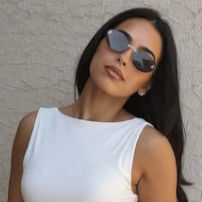
%22%2F%3E%0A%20%20%20%20%3Cellipse%20cx%3D%2298%22%20cy%3D%22154%22%20rx%3D%22210%22%20ry%3D%22170%22%20fill%3D%22url(%23g1)%22%2F%3E%0A%20%20%20%20%3Cellipse%20cx%3D%22306%22%20cy%3D%22614%22%20rx%3D%22190%22%20ry%3D%22150%22%20fill%3D%22url(%23g2)%22%2F%3E%0A%20%20%3C%2Fsvg%3E)

$199.00, 1 items from Online Store - Store Name
$199.00, 1 items from Online Store - Store Name
$199.00, 1 items from Online Store - Store Name
$199.00, 1 items from Online Store - Store Name
$199.00, 1 items from Online Store - Store Name
$199.00, 1 items from Online Store - Store Name
Scenes & stories
Lock screen stories that sell motion
A busy lock screen says the product actually pings people.
Ecommerce
Order flood morning
Repeated sale or order lines for a launch creative.
SaaS
Product ping stack
App alerts that make the product feel alive on a homepage.
Ads
FOMO open
Lead a mobile ad with a crowded lock screen, then cut to CTA.
In the editor
Lock screen generator controls
Enough iOS cues to feel real without a device lab.
Stacked alerts
Add multiple rows for a busy phone look.
Wallpaper
Upload a background so the frame feels personal.
Appearance
Light, dark, or auto text against the wallpaper.
App branding
Name, title, and icon for your product story.
What you edit
Fields on the lock screen
App name and the first alert line do most of the work.
- 1App name and notification title
- 2App icon and wallpaper
- 3Appearance mode
- 4Each stacked notification message
Realism tips
Make the lock screen feel like a real morning
Identical lines and bad contrast kill the illusion.
- 1
Vary notification copy if you stack many rows.
- 2
Match text appearance to wallpaper brightness.
- 3
Keep app names short.
- 4
One line per alert — not a paragraph.
Watch outs
Lock screen mistakes to skip
Fix before export.
Clone spam
Six identical messages look staged. Vary amounts or names.
Unreadable text
Light text on a bright wallpaper fails. Switch appearance.
Desktop banner habits
Keep lines short like real iOS alerts.
How to ship it
Generate the lock screen
Brand it, stack alerts, export.
Open Lock Screen
Under Messaging.
Set app and alerts
Name, icon, wallpaper, notification lines.
Export PNG
Use it in ads or landing pages.
FAQ
FAQ
- Can I generate an iOS lock screen notification screenshot?
- Yes. Edit app name, wallpaper, and stacked alerts, then export a PNG.
- Custom wallpaper?
- Yes. Upload an image and pick light, dark, or auto text.
- How many notifications?
- Add multiple rows in the editor for busy or quiet scenes.
- Same as Push Notification?
- No. Lock Screen is a full wallpaper with a stack. Push is a single banner template.
- Real iOS notifications?
- No. Mock UI for marketing.
- Need a fake chat maker instead of lock screen?
- For fake chat conversations, use the free WhatsApp, iMessage, Instagram, X, or TikTok chat generators under Messaging.
More templates