 Screenshot Maker
Brooks Marquez · Tutorials · 6 min read · 2026-08-09 · Updated 2026-10-10
How to Make an MRR Dashboard Screenshot
You need an MRR dashboard screenshot for a SaaS landing page, a deck, or a launch thread, and you do not want to wire a half-empty admin into a marketing site. The tool page for that screen is the MRR dashboard screenshot maker. That is a normal B2B content problem. The faster path is a dashboard template that already looks like a real billing analytics screen, then edits to MRR, growth, and supporting KPIs.
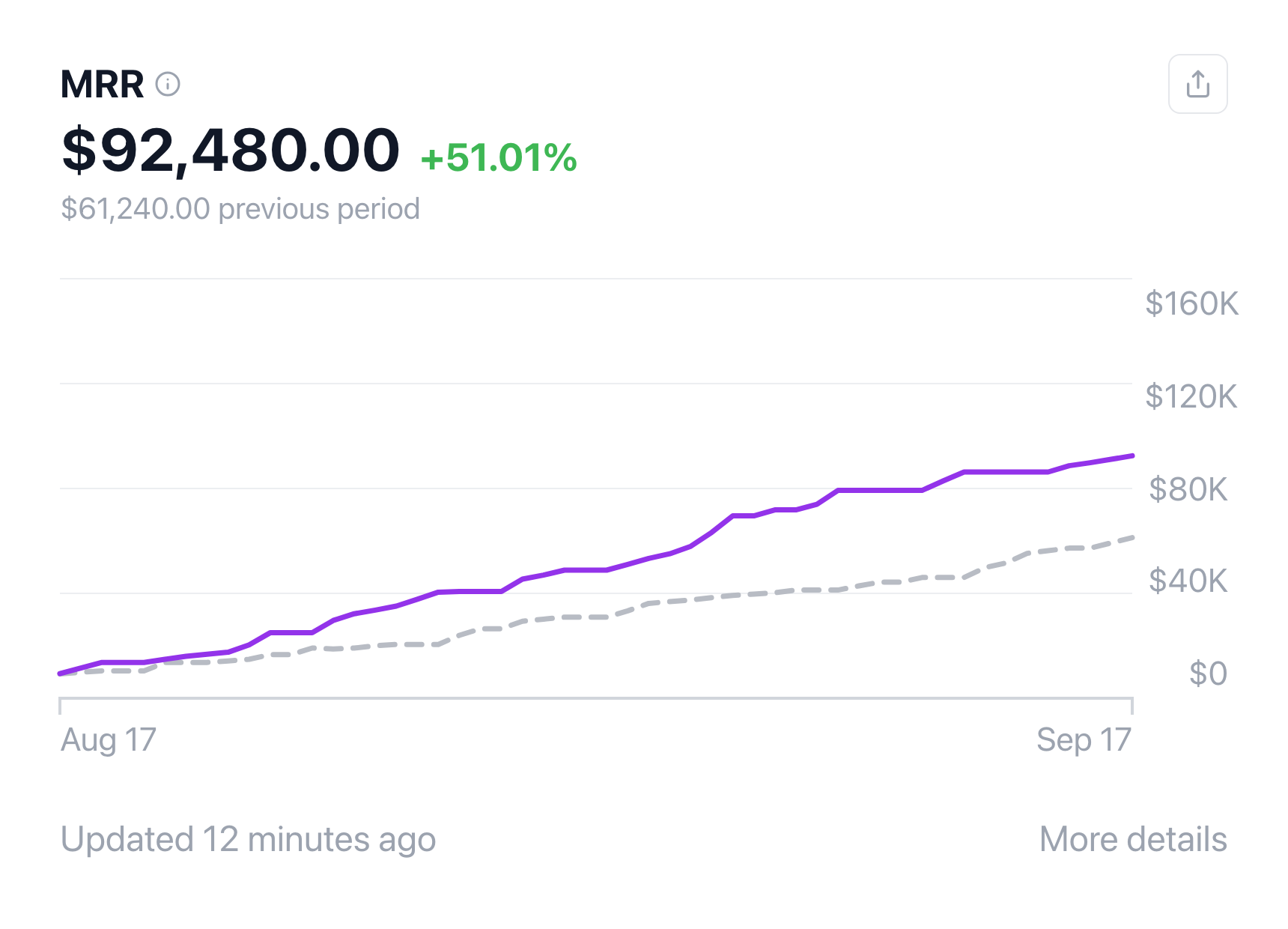
This guide shows how to make an MRR dashboard screenshot that feels native, how it differs from a generic SaaS usage card, and which consistency checks founders skip.
What an MRR dashboard screenshot should show
MRR (monthly recurring revenue) screenshots usually lead with:
- A primary MRR total
- Growth or change over a period
- A curve or bars that match the story
- Supporting metrics (customers, churn, ARPU, trials) when the layout allows
Audiences who build SaaS know what "real enough" looks like. They forgive stylized chrome. They do not forgive a rocket chart under a flat MRR badge.
Why generate the screenshot
- Staging data is ugly or empty
- You need a specific narrative ($12k to $48k, not your live noisy month)
- Sales and marketing want variants without touching production
- You are pre-revenue and still need a productized dashboard frame
A screenshot maker built for SaaS dashboards beats rebuilding charts in Canva every week.
Step by step: make an MRR dashboard screenshot
1. Open the MRR Dashboard template
On screenshotmaker.app, open the MRR Dashboard editor. That layout is built for recurring revenue stories: headline MRR, growth cues, and chart context.
For related SaaS frames, see the SaaS metrics screenshot generator and the older overview in how to create a SaaS dashboard screenshot.
2. Write one sentence for the board
Examples:
- "Clean up-and-to-the-right for a homepage hero"
- "Modest MRR with healthy growth percent for a credible indie story"
- "Flat month for a retention / churn narrative" (pair with honest chart shape)
Set the MRR total and change percent so they agree with the curve.

Create a screenshot to get more engagement.
Pick a template, edit the numbers, and export.
Start Free3. Keep supporting numbers in the same universe
If you show customers and MRR, implied ARPU should not be absurd. If you show trials, the funnel should not invent 10x conversion without context. Internal consistency sells the screenshot more than extra widgets.
Create a screenshot to get more engagement.
Pick a template, edit the numbers, and export.
Start Free4. Shape the chart like a business, not a logo
Add small dips. Pure exponential curves look generated. Match the selected time range to the story (month vs year).
5. Export for the channel
Full-resolution PNG for websites and decks. Crop tighter for social. Keep the MRR total large enough to read on mobile.
MRR dashboard vs other SaaS screenshots
| Goal | Better visual |
|---|---|
| MRR / recurring revenue hero | MRR Dashboard |
| Broader SaaS KPIs / trials / subscriptions | APP Revenue Dashboard |
| Creator earnings / payout schedule | Earnings Dashboard |
| Store sessions and sales | Online Store analytics |
| Payments volume (Stripe-style) | Business Payments |
Use an MRR dashboard screenshot when recurring revenue is the headline. Switch templates when the story is usage, marketplace GMV, or payout cash out.
Mistakes that make an MRR screenshot look fake
- Chart fighting the percent badge
- Vanity round numbers only ($100,000 MRR with zero texture every time)
- Impossible ARPU math vs customer counts
- Too many widgets for a hero crop
- Dark noisy staging UI when the page needs a clean product shot
FAQ
How do I make an MRR dashboard screenshot? Open the MRR Dashboard on Screenshot Maker, set MRR and growth, align the chart, and export a PNG.
Is MRR the same as ARR in the screenshot? Related. ARR is roughly MRR times twelve. If you show both, keep the math honest.
Can I use this on a landing page before we have real billing? Yes. That is a common use of a SaaS dashboard screenshot generator. Keep claims elsewhere on the page compliant with how you actually sell.
What if I need a fuller product tour? Pair the MRR frame with APP Revenue or store analytics templates for more scenes.
Bottom line
An MRR dashboard screenshot is a controlled recurring-revenue story: clear total, matching growth, believable curve. Start at mrr-growth-dashboard, keep supporting KPIs in the same universe, and switch to usage or earnings templates when MRR is not the headline metric.