Screenshot Maker
Facebook post screenshots for ads and social proof
Generate a Facebook feed post with author name, timestamp, body copy, image, and reaction counts. Built for paid social mocks and landing-page proof.
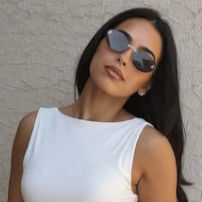
- Author name and avatar
- Post body and image
- Reactions, comments, and shares

 1.2K84 comments · 26 shares
Why it works
Why Facebook post frames still matter
A lot of demand-gen still lives in Meta ads. Native-looking posts lower skepticism.
Mock the creative before spend
Test copy and image in a Facebook chrome frame without boosting a draft.
Proof that looks neighborhood-real
Author name and a short post beat a generic stock collage.
Client reviews in familiar UI
Stakeholders recognize Facebook faster than another moodboard.
What you edit
Facebook fields that sell the scene
Name, time, and reaction stack are the first trust cues.
- 1Author avatar and name
- 2Posted time label
- 3Post body text
- 4Optional image
- 5Reactions, comments, and shares counts
Scenes & stories
Facebook screenshot examples
Same layout, different campaign jobs.
Ad
Offer announcement
Short body, clear image, solid reaction count.
Landing
Community proof block
A post that looks like it already circulated.
Pitch
Creative options slide
Two variants exported for the Monday review.
Watch outs
Common mistakes
Facebook audiences notice tone and timing.
LinkedIn voice in a Facebook body
Keep the copy conversational if you want it to feel native.
Impossible reaction math
Shares higher than reactions can look odd on quiet pages.
Missing time label
A blank timestamp makes the chrome feel unfinished.
Built for this niche
Facebook-native cues
Built as a feed post, not a Messenger thread.
How to ship it
Write the post, export the frame
Familiar chrome, editable everything.
Open Facebook
Social Feeds category.
Fill author and content
Name, body, image, counts.
Export
Drop into Meta ads or a landing proof section.
FAQ
FAQ
- Is this a Messenger chat?
- No. This is a Facebook feed post screenshot. Messaging templates live under Messaging.
- Can I skip the image?
- Yes. Text-only posts still render cleanly.
- Can reaction counts use K formatting?
- Yes. Use strings like 1.2K if that matches your story.
More templates