 Screenshot Maker
How to Make a Bybit / Crypto PnL Screenshot
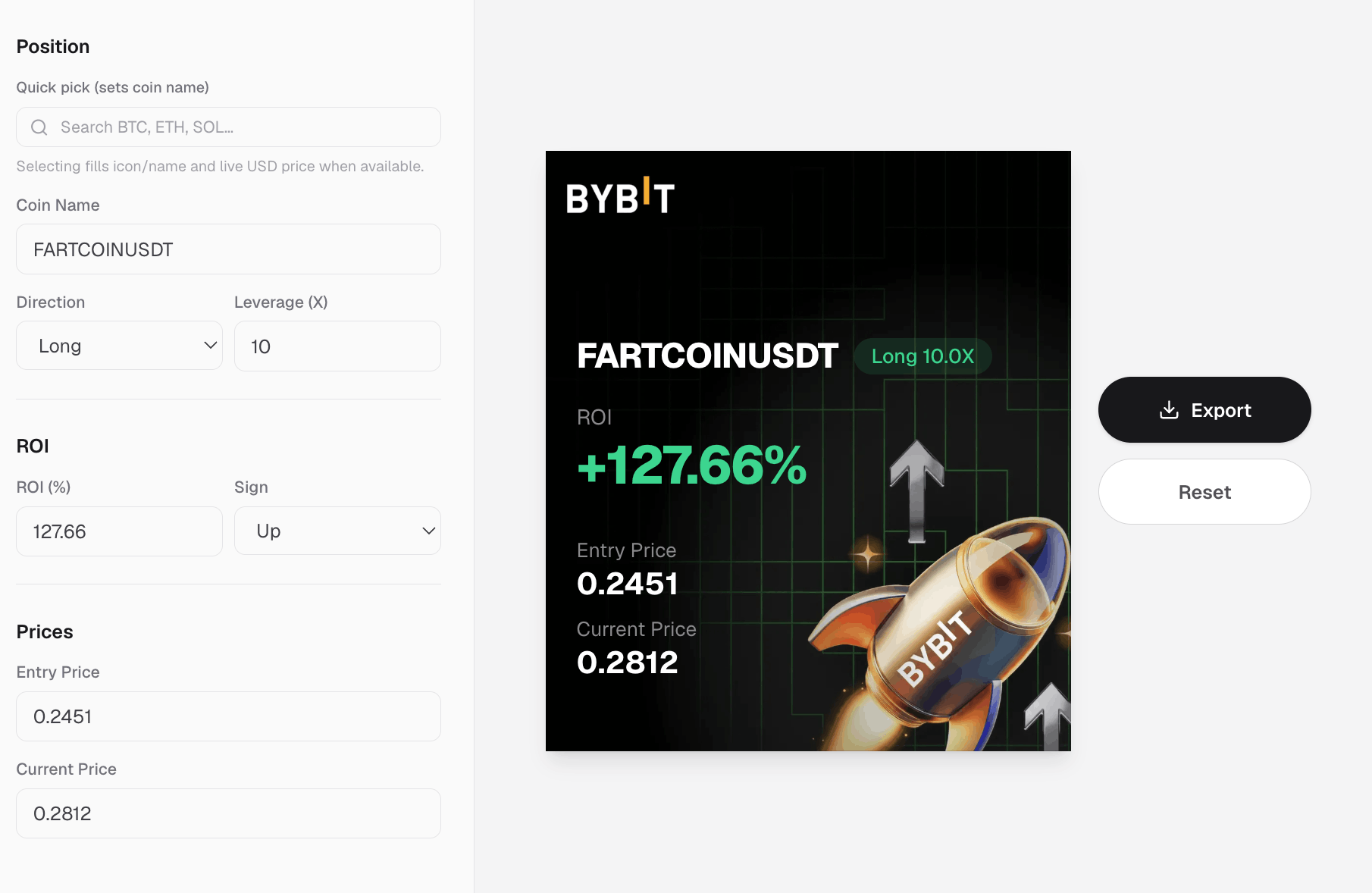
You need a Bybit PnL screenshot (or a generic crypto PnL screenshot) for a thread, an ad, or a landing proof strip, and you do not want to log into a live exchange or crop a real trade ticket with account details. That is a normal crypto content brief. The faster path is a share-card template that already looks like an exchange PnL poster, then a few edits to the numbers.
This guide shows how to make a crypto PnL screenshot that reads as native, when a wallet balance or futures account frame is the better fit, and which details traders spot as fake.
What a Bybit / crypto PnL screenshot is
A crypto PnL screenshot is the "closed trade flex" card people recognize from Bybit, Binance, and similar apps: big ROI percent, dollar profit, pair or coin, sometimes a username and a chart flourish. It is not a full wallet bag and not an open-positions table. It is a single story: this trade (or this period) went up or down by X.
If the brief says Bybit PnL screenshot, audiences expect that share-card language. The same generator workflow works for OKX PnL card or Binance PnL card on Screenshot Maker.
Why generate one instead of capturing a live trade
- You need a specific ROI story without exporting a real account
- Marketing or education should not leak UIDs, emails, or partial order IDs
- You want light/dark or alternate ROIs for A/B creatives
- The product demo is pre-launch and there is no live PnL to capture
A generator keeps the visual controllable. It is for storytelling, not for forging someone else's brokerage statement.
Step by step: make a Bybit-style PnL screenshot
1. Open a Bybit / Binance / OKX PnL card
On screenshotmaker.app, open a crypto PnL card such as Bybit PnL card, Binance PnL card, or OKX PnL card. These layouts are built for crypto PnL screenshots: big percent, profit figure, and trade identity fields.
2. Write one sentence for the card
Decide the story before you touch decimals:
- "Short-term BTC long, clean green ROI"
- "High leverage win for a hook" (keep the percent believable for your audience)
- "Red day education post" with a negative ROI
Then set ROI percent and dollar PnL so they agree. A +340% badge with a tiny dollar win (or the reverse) reads broken.
3. Fill pair, username, and chrome details
Add the pair or coin people expect (BTCUSDT, ETH, etc.). If the template has a username, use a product or creator handle, not a random doxxable string. Keep exchange-like spacing and hierarchy: percent first, dollars second, pair third.
4. Match mood to the channel
Green PnL cards travel on Twitter/X and Telegram. Red cards work for risk education. Export a full-resolution PNG and crop for Stories if needed.
PnL vs wallet vs futures screenshots
| Goal | Better visual |
|---|---|
| Bybit / crypto PnL share card | Bybit / Binance / OKX PnL cards |
| Multi-token bag / Binance portfolio feel | Crypto Wallet APP / balance guide |
| Margin balance / futures account | Crypto Assets |
| Open positions with leverage | Crypto Trades |
| Phantom-style Solana wallet | Phantom wallet guide |
Use a PnL screenshot when the story is a trade result. Use a portfolio or wallet balance screenshot when the story is the bag.
Mistakes that make a crypto PnL screenshot look fake
- ROI and dollar PnL disagree
- Impossible percents with no leverage context for your niche
- Wrong pair formatting (sloppy tickers)
- Blurry exports that look screenshotted from a bad screen recording
- Pastable account crumbs (UID fragments, emails)
FAQ
How do I make a Bybit PnL screenshot? Open a Bybit PnL card on screenshotmaker.app, set ROI, profit, and pair details, then export a PNG. You do not need a live Bybit login.

Create a screenshot to get more engagement.
Pick a template, edit the numbers, and export.
Start FreeIs a crypto PnL screenshot the same as a portfolio screenshot? No. PnL is a trade (or period) result card. A portfolio or wallet balance screenshot shows holdings. Pick the frame that matches the brief.
Create a screenshot to get more engagement.
Pick a template, edit the numbers, and export.
Start FreeCan I show a loss? Yes. Negative ROI and red styling often look more honest for education content.
Which template should I start with? Try Bybit PnL card or OKX PnL card, then switch if you need a different chrome.
Bottom line
A Bybit / crypto PnL screenshot is a controlled share card: clear ROI, matching dollars, believable pair, no live account risk. Open a Bybit PnL card, write one trade sentence, export when the math agrees, and switch to wallet or futures layouts when the story is the bag or the margin account instead of the flex card.