 Screenshot Maker
Brooks Marquez · Tutorials · 6 min read · 2026-08-01 · Updated 2026-10-10
How to Make a Crypto Wallet Balance Screenshot
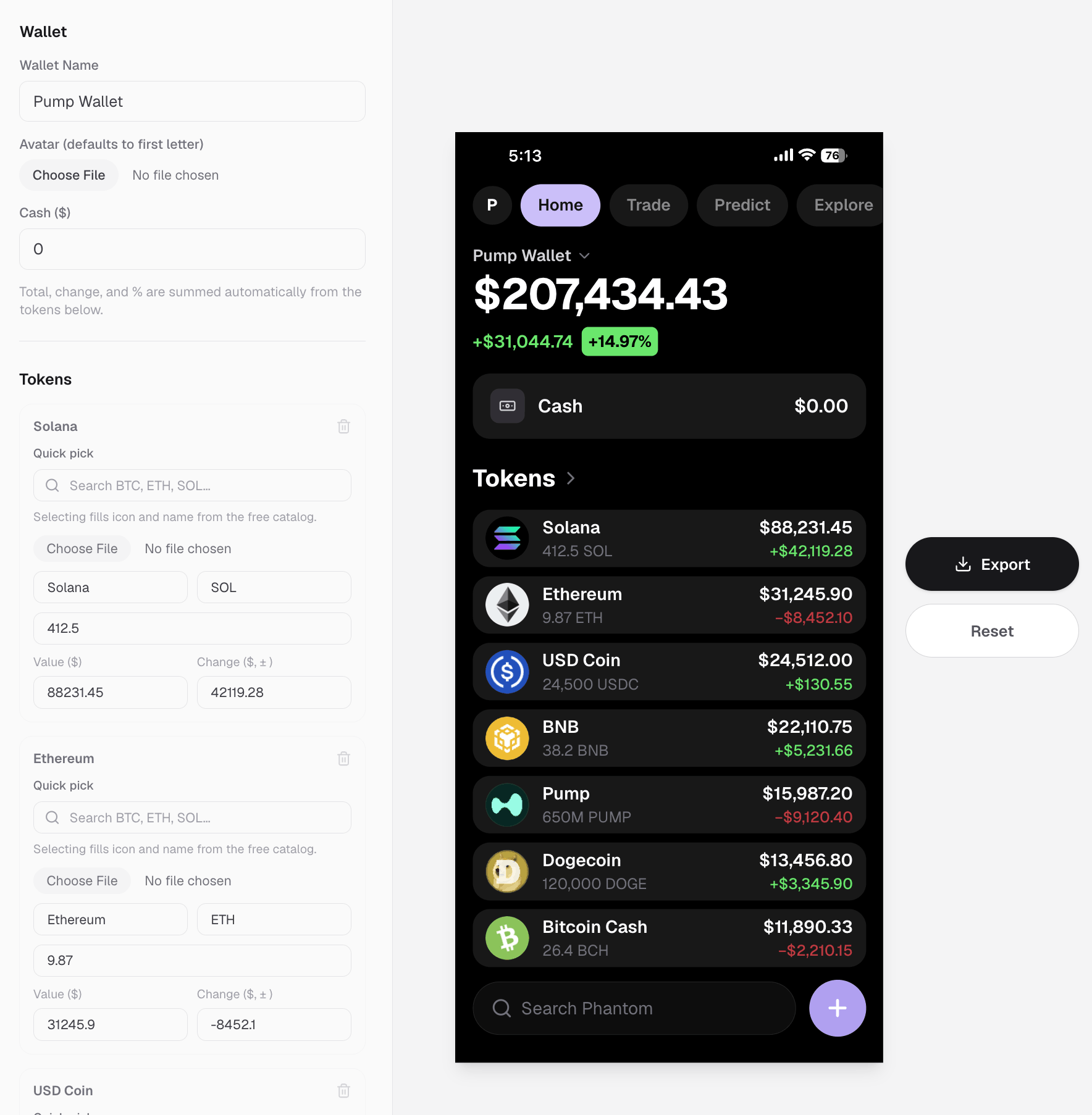
You need a crypto wallet balance screenshot for a landing page, an App Store set, or a launch thread, and you do not want to connect a live wallet or paste a real address into a design file. The tool page is the crypto wallet balance screenshot maker. That is a normal crypto marketing problem. The clean fix is a crypto wallet balance screenshot generator: start from a holdings-style template, edit the bag, export a PNG.
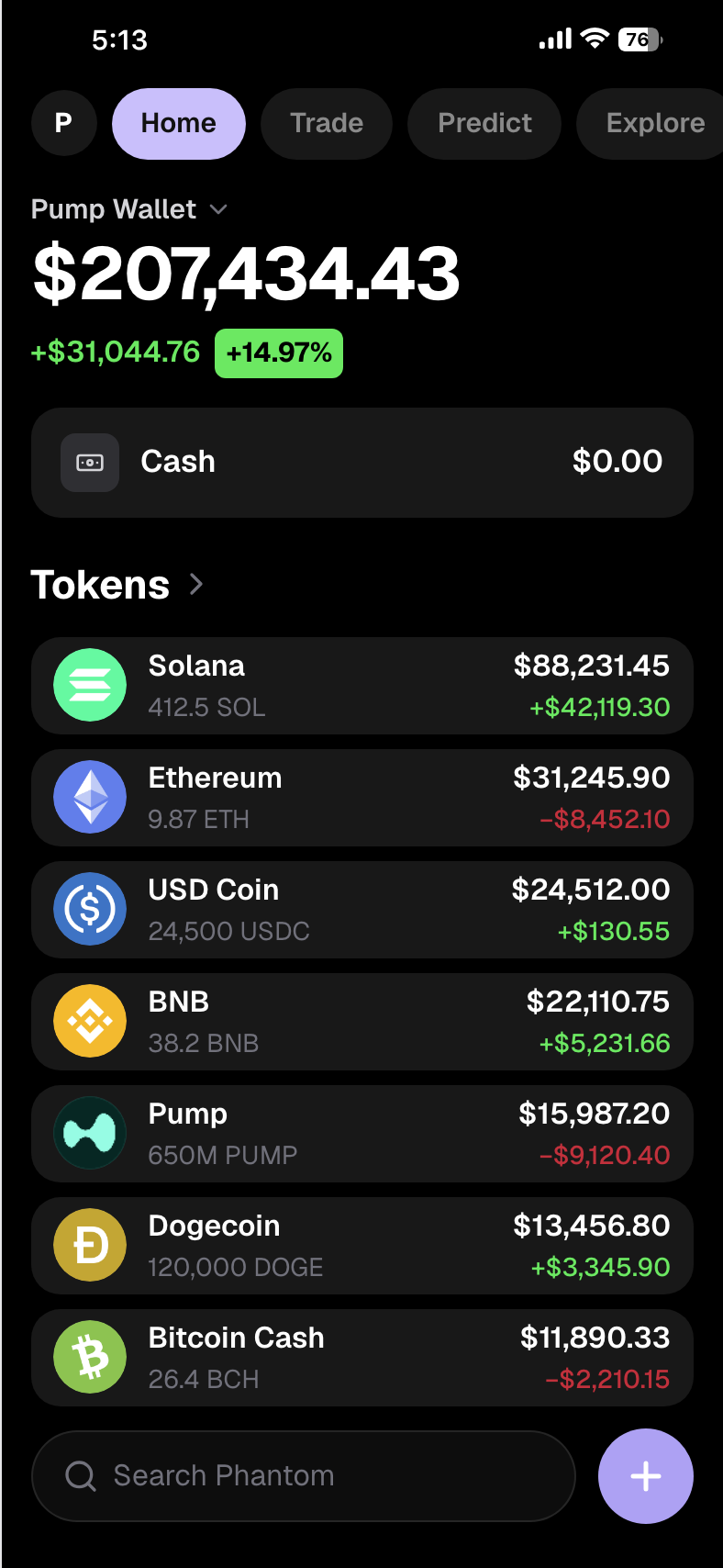
This guide explains what that screenshot should include, how to make one step by step in screenshotmaker.app, and when a broader crypto wallet screenshot generator layout (chart-first vs bag-first) is the better choice.
What is a crypto wallet balance screenshot?
A crypto wallet balance screenshot is the screen people recognize as "this wallet holds these coins." It usually shows:
- A wallet name or identity in the header
- A cash row when the product keeps fiat or stable cash on the side
- A token list with quantity, value, and daily change
- Icons for majors like BTC, ETH, and USDT or USDC
That is different from a single PnL share card or a futures margin page. Those tell a trade story. A balance screenshot tells a bag story. If Google (or a client) is looking for a crypto wallet balance screenshot generator, they almost always want this holdings list, not a leverage panel.
Why use a generator instead of a live wallet
Common reasons teams skip a real capture:
- The product is pre-launch and nobody should connect yet
- Marketing needs a specific mix of BTC, ETH, and a project token
- Legal prefers synthetic balances over doxxing an address
- You need the same layout with different numbers for A/B creatives
A crypto wallet screenshot generator exists for that workflow. You control the narrative without touching seed phrases or explorer links.
Step by step: make a crypto wallet balance screenshot
1. Open the holdings wallet template
Open the Crypto Wallet APP editor. That template is built for bag-style screens: wallet name, cash, and a long token list with quantities and changes. It is the layout to use when the brief says crypto wallet balance screenshot generator, not "one green PnL sticker."
For the matching SEO page, see crypto holdings screenshots that look exchange-native.
2. Set the wallet identity and cash
Name the wallet like a product (your brand, not a random ENS). Add a cash row if the story needs ballast. A bag that is 100% meme coins with zero cash can work for degen content; for product marketing, a bit of USDC or cash usually looks more native.
3. Build the token list on purpose
Decide the one sentence the image must say, then fill rows:
- BTC or ETH as a recognizable major (bitcoin wallet screenshot energy inside a multi-asset bag)
- A stable (USDT or USDC) if you need calm
- SOL or another chain native if that is your audience
- Your project ticker nested among majors so it feels held, not pasted on alone
Use real icons for known coins. Blank circles on BTC and ETH are an instant fake tell.
If the brief sounds more like a Binance portfolio screenshot (exchange-native bag, many rows, cash plus alts), keep the list dense and mixed. Same generator workflow; different storytelling density than a two-coin Phantom crop.
4. Make quantity, value, and change agree
Huge quantity with a tiny dollar value (or the reverse) breaks trust. Green change needs a green read; red days should look red. Mix winners and losers. An all-green bag looks staged.

Create a screenshot to get more engagement.
Pick a template, edit the numbers, and export.
Start Free5. Export a full-resolution PNG
Download from the editor, then crop for Twitter, TikTok, or a website hero. Keep token names readable on mobile. A crypto wallet balance screenshot that only works at desktop width will fail in Stories.
Crypto wallet balance vs portfolio and PnL screenshots
People often type portfolio screenshot when they mean either a crypto bag or a brokerage investing home. Those are different jobs.
| Goal | Better visual |
|---|---|
| Multi-token bag / balance list / Binance portfolio screenshot feel | This generator: crypto-pump-wallet |
| Portfolio chart + coin sparks | Crypto wallet (chart layout) |
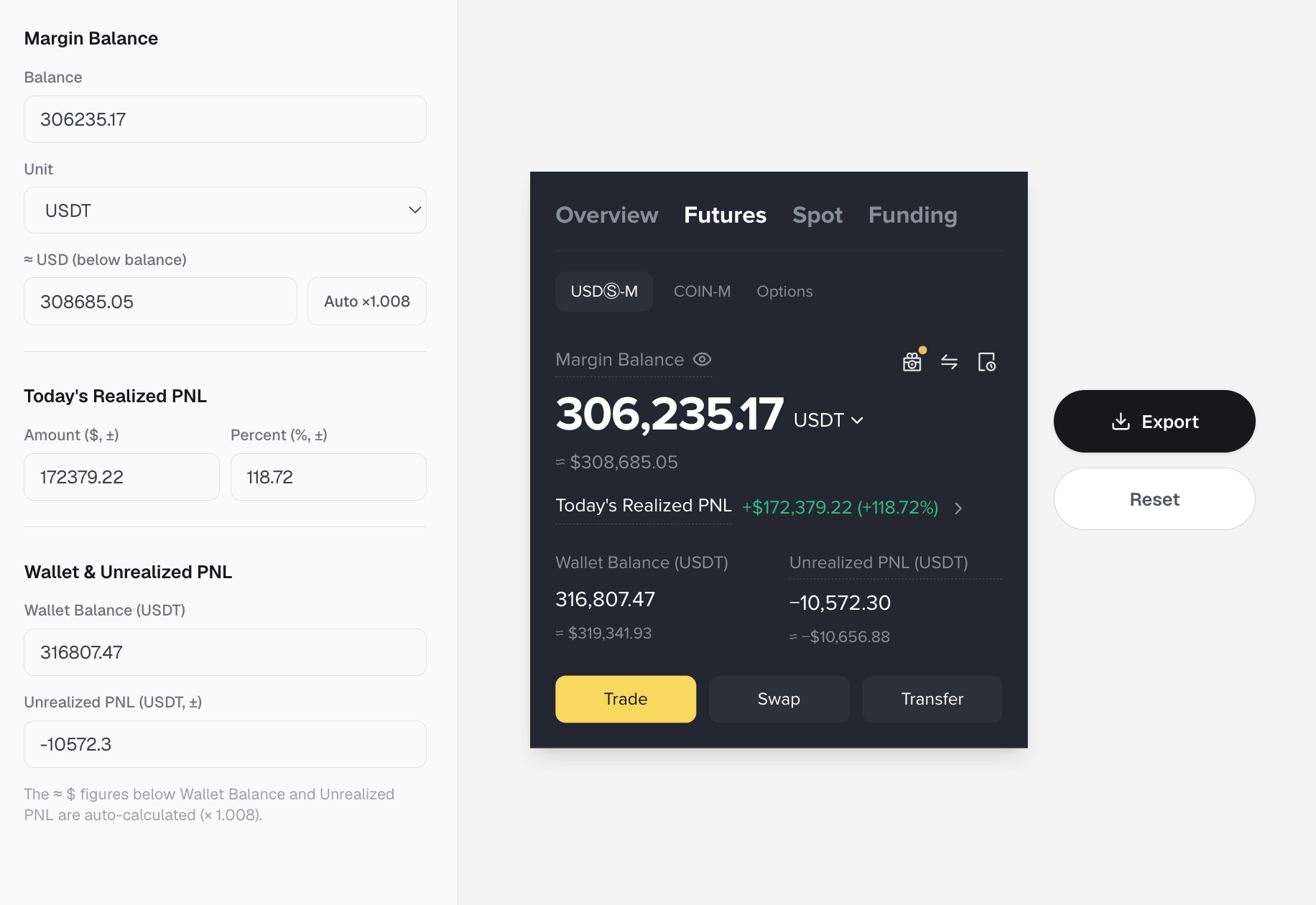
| Bybit-style realized PnL share card | Futures or PnL templates (not a holdings list) |
| Phantom / Solana chrome | Phantom wallet screenshot guide |
| Stock / brokerage portfolio screenshot | Robinhood-like portfolio screenshot guide |
| Open positions with leverage | Crypto trades use case |
Use the balance generator when depth of the bag matters. A stock portfolio screenshot belongs on an investing template with buying power and equity curves, not inside a token list. PnL flex cards are another lane again.
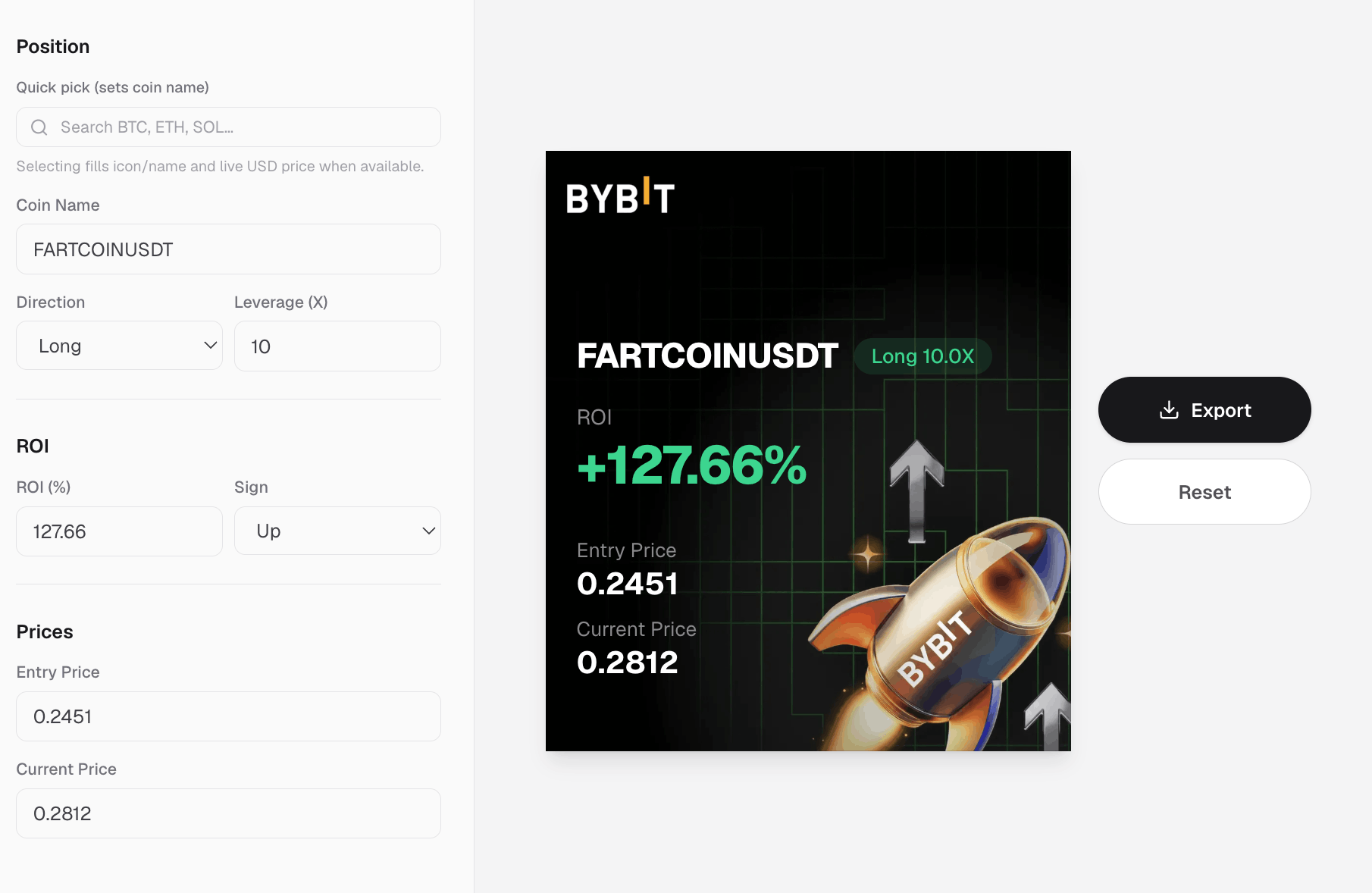
If your creative is "I closed green on Bybit," ship a PnL frame. If your creative is "here is the bag," stay on the crypto wallet balance screenshot generator and keep the list honest.
Mistakes that make a wallet balance screenshot look fake
- One token only unless the product is literally a single-asset vault
- Impossible prices on BTC or ETH
- Placeholder icons for majors
- Quantity vs value mismatch
- All green, no losers
- Address fragments in the crop (even partials make people nervous)
- Wrong product language — pasting futures PnL copy into a spot wallet balance frame
Fix those before you argue about spacing.
FAQ
What is a crypto wallet balance screenshot generator? It is a tool that lets you edit a holdings-style wallet UI (tokens, quantities, values, change) and export a PNG, without connecting a live wallet. On Screenshot Maker, that workflow starts in the Crypto Wallet APP editor.
How is that different from a crypto wallet screenshot generator? "Crypto wallet screenshot generator" is the broader term. A balance-focused generator emphasizes the bag and cash rows. Chart-first wallet templates still count as wallet generators, but they lead with portfolio P&L and sparks instead of a long holdings list.
Can I make a Binance portfolio screenshot with this? Yes, for the holdings-list look: many rows, mixed majors and alts, optional cash. You are editing a realistic exchange-style bag, not logging into Binance.
Is a portfolio screenshot the same as a stock portfolio screenshot? Not always. "Portfolio screenshot" can mean crypto or brokerage. A stock portfolio screenshot should use investing templates (Robinhood-style guide). Crypto bags stay on the wallet balance generator.
Can I show BTC and USDT in one balance screenshot? Yes. Add Bitcoin and Tether (or USDC) as separate rows with realistic prices and matching change colors.
Do I need to connect MetaMask, Phantom, or an exchange? No. The point of the generator is synthetic, controllable balances for marketing and demos.
Create a screenshot to get more engagement.
Pick a template, edit the numbers, and export.
Start FreeWill this look real enough for ads and landing pages? It will if icons, quantities, values, and daily changes agree. Crypto audiences forgive stylized chrome faster than they forgive broken math.
Bottom line
A crypto wallet balance screenshot is a controlled bag: clear wallet identity, believable cash, mixed holdings, honest change colors. Open the crypto-pump-wallet editor, write one sentence for the portfolio, fill the list, and export when the numbers agree.
When the brief is a Binance portfolio screenshot vibe, keep the list dense. When it is a stock portfolio screenshot, switch to brokerage templates. When it is Bybit PnL flex, use a PnL card instead of forcing trade results into a spot balance UI. Start at screenshotmaker.app and pick the frame that matches the story.