 Screenshot Maker
Brooks Marquez · Tutorials · 6 min read · 2026-08-10
How to Create a Binance Portfolio Screenshot
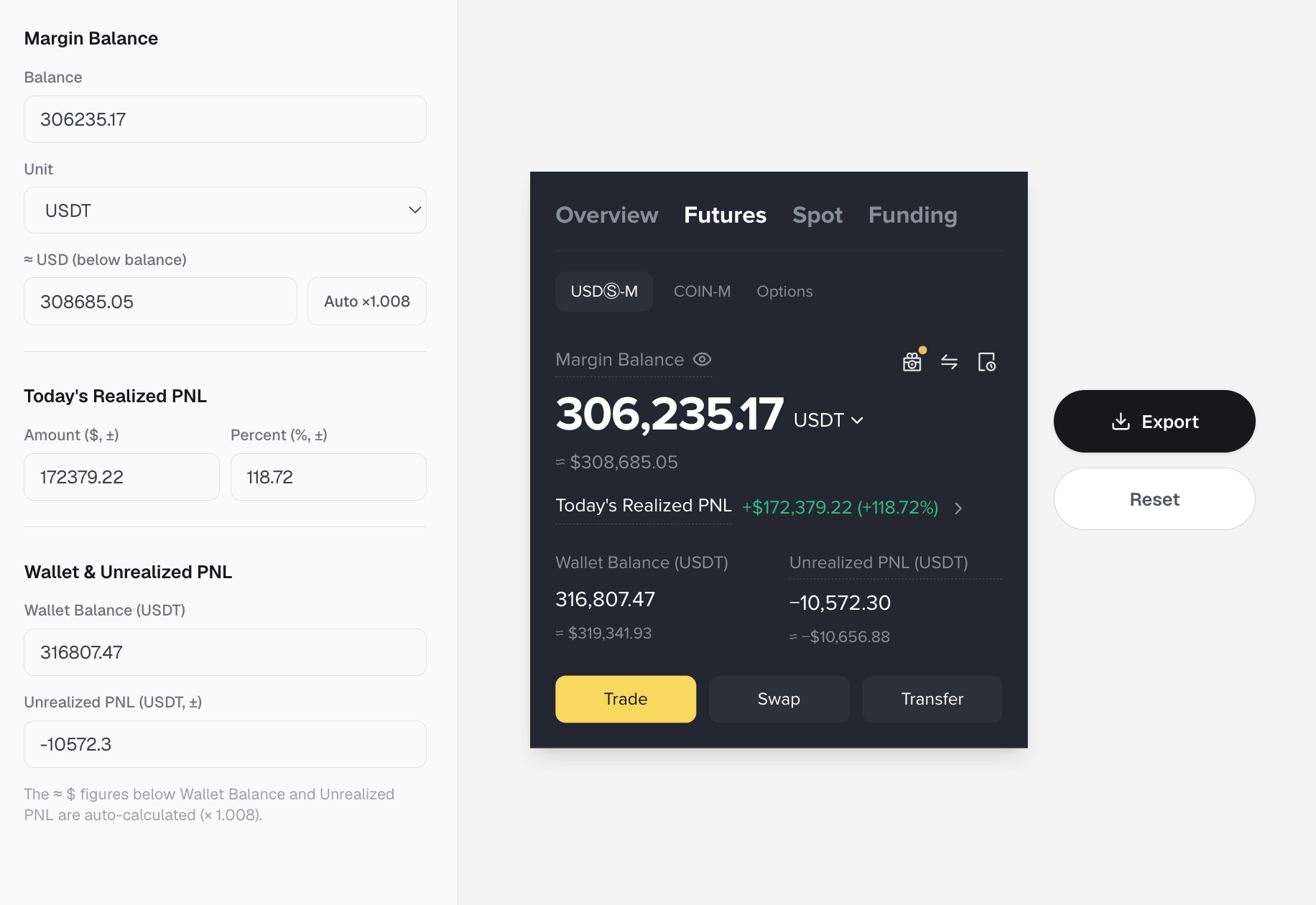
You need a Binance portfolio screenshot for a landing page, an exchange-style demo, or a social proof post, and you do not want to log into a live Binance account or leak an address. That is a standard crypto marketing brief. The clean approach is a holdings-style crypto wallet template that already feels like an exchange bag, then careful edits to tokens, quantities, and change.
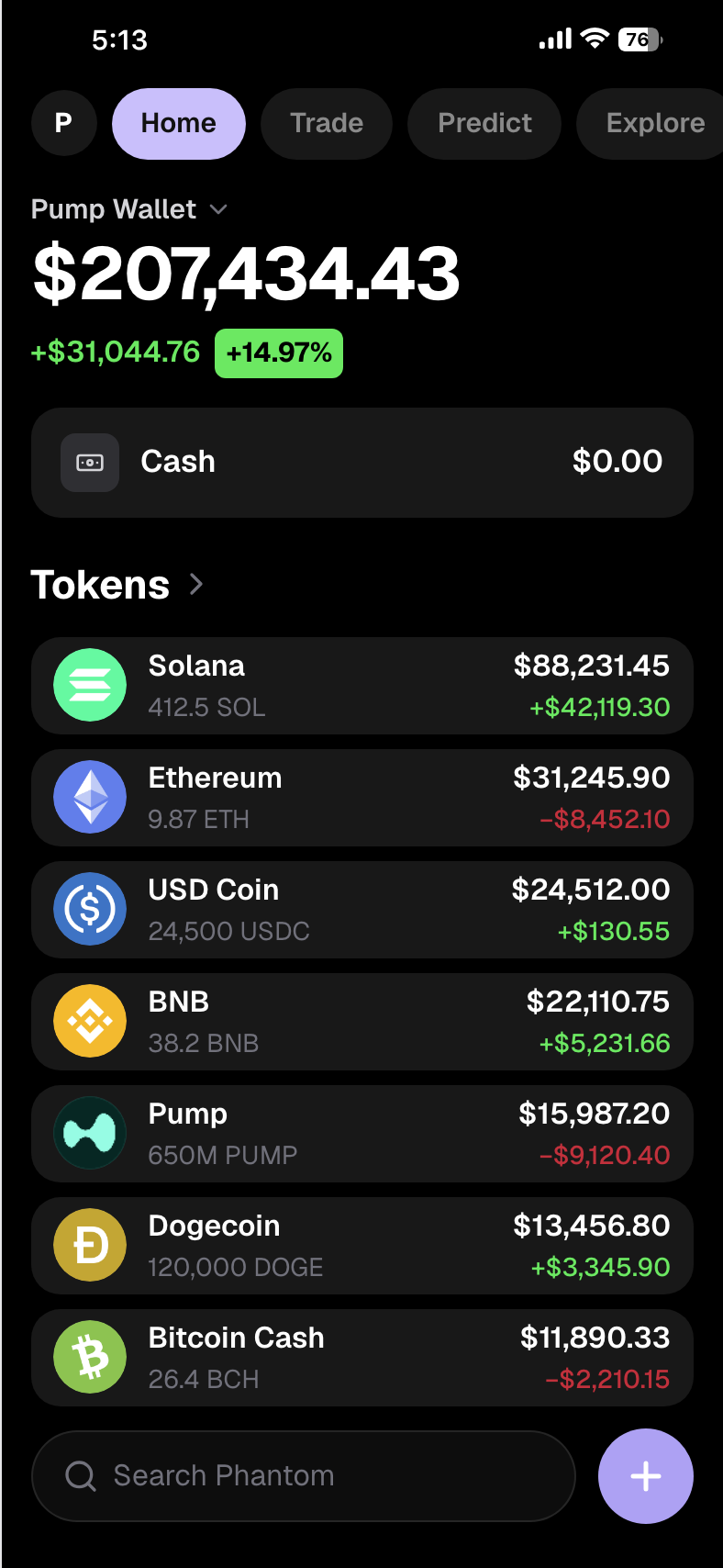
This guide walks through how to create a Binance portfolio screenshot that looks dense and native, how it differs from a PnL flex card, and how to avoid the tells that crypto audiences spot quickly.
What people mean by Binance portfolio screenshot
In practice, "Binance portfolio screenshot" usually means a multi-asset bag: many rows, majors plus alts, optional cash or stables, and green/red daily change. It is closer to a crypto wallet balance screenshot than to a single Bybit PnL poster.
If the brief is "show the portfolio," use a holdings list. If the brief is "show the trade win," use a PnL card instead.
Why generate instead of capturing Binance
- Pre-launch product pages need exchange-native visuals before KYC demos exist
- You want a specific mix of BTC, ETH, USDT, and a project token
- Compliance prefers synthetic balances over real account exports
- You need multiple variants for ads without re-logging every time
A crypto wallet screenshot generator built for bags is the right tool for that job.
Step by step: create a Binance-style portfolio screenshot
1. Open the holdings wallet template
Open the Crypto Wallet APP editor on screenshotmaker.app. That layout supports wallet name, cash, and a long token list with quantity, value, and change. It is the same editor we recommend for crypto wallet balance screenshots when the vibe is exchange-dense, including Binance portfolio screenshot requests.
See also the holdings use case and the crypto wallet balance generator guide.
2. Name the wallet and set cash
Use a product-like wallet name. Add a cash or stable row if the story needs ballast. All-meme bags work for degen posts; product marketing usually looks better with USDT/USDC or cash in the mix.
3. Build a dense, believable bag
For a Binance portfolio screenshot feel, aim for several rows:
- BTC and ETH as majors
- USDT or USDC as calm liquidity
- BNB or another liquid alt if it fits the story
- Your project ticker nested among known coins
Keep prices near reality for majors. Use real icons. Mix winners and losers so the bag does not look staged.
4. Align quantity, value, and daily change
Quantity and dollar value should roughly agree. Change colors should match the sign. Export a full-resolution PNG and check readability on a phone.
Binance portfolio vs other crypto screenshots
| Goal | Better visual |
|---|---|
| Binance portfolio / multi-token bag | crypto-pump-wallet |
| Chart-led wallet + sparks | Crypto Wallet / wallet use case |
| Bybit / crypto PnL share card | PnL guide |
| Futures margin account | Crypto Assets |
| Phantom / Solana chrome | Phantom guide |
Mistakes that break a Binance portfolio screenshot
- Only one or two tokens when the brief asked for "portfolio"
- Impossible BTC/ETH prices
- Placeholder icons
- Quantity vs value mismatch
- All green rows
- PnL-poster language pasted onto a spot holdings UI
FAQ
How do I create a Binance portfolio screenshot without Binance? Edit a holdings wallet template on Screenshot Maker, fill a multi-token bag, and export a PNG. Start here: Crypto Wallet APP.
Is this the same as a crypto wallet balance screenshot? Almost. Balance/holdings screenshots and Binance portfolio screenshots often use the same bag layout. The word "Binance" signals exchange-dense chrome and depth.

Create a screenshot to get more engagement.
Pick a template, edit the numbers, and export.
Start FreeCan I include USDT and BTC together? Yes. That mix is common for portfolio-style bags.
Create a screenshot to get more engagement.
Pick a template, edit the numbers, and export.
Start FreeShould I use a PnL poster instead? Only if the story is a closed trade ROI. Portfolio briefs stay on the bag template.
Bottom line
A Binance portfolio screenshot is a dense, honest-looking bag: majors, stables, optional project token, mixed change colors. Open crypto-pump-wallet, write one portfolio sentence, fill the list, and export when the math agrees. Switch to PnL or futures templates when the story is the trade result or the margin account, not the holdings list.